# Ability Hub

<details>

<summary>What is the Ability Hub app?</summary>

[Ability Hub](/fieldworker-docs/fundamentals/faq/ability-hub.md) is a free app designed to be by your side, as your companion throughout your caregiving journey, whether you are a [caregiver](#what-does-the-ability-hub-app-do-for-me-as-a-caregiver) as a profession, or have caregiving thrust on you because of a near and dear needs your help.&#x20;

The Ability Hub app helps you find answers at a moment’s notice, enables you to record observations about your loved one's behaviors, keeps you prepared for doctors’ visits, and more. The app helps you work effectively, keeping the safety, dignity, independence, privacy, and communication of all involved as a centerpiece.

With the Fieldworker [release V3.2](https://fieldworker.gitbook.io/fieldworker-docs/fundamentals/faq/pages/T4iz784xyYbTRATk473c#release-3.2-2025-07-16), the Ability Hub app is now also used as a customer portal for Fieldworker. If your agency subscribes to the customer portal, the app can be used to communicate with the customers, share tasks, notes, and documents.

</details>

<details>

<summary>Who all does the Ability Hub app help?</summary>

This Ability Hub app identifies the four most critical user personas, mapped directly to the challenges and roles identified in the onboarding flow.

#### 1. The Primary "Bridge" Caregiver

Profile: Usually a parent or spouse (like "Jane") who has recently taken on a caregiving role (< 1 year).

* Onboarding Path: Role: Caregiver | Relationship: Spouse/Parent | Duration: < 1 year.
* Top Challenges: Managing stress, finding helpful resources, and maintaining mental alertness.
* Motivation: They are currently overwhelmed and feel like they are "winging it." They need a central "source of truth" to stop repeating the same information to doctors and family members.
* Key  Feature: The Resource Library & Stress Logs. They use the app to find "how-to" guides for new challenges and use the "Managing Stress" tools to stay grounded.

#### 2. The Collaborative Family Member

Profile: A sibling or adult child who doesn't live in the home but wants to be an active part of the "Circle of Care."

* Onboarding Path: Role: Caregiver | Relationship: Sibling/Son/Daughter | Living Situation: Group home or independent.
* Top Challenges: Social deficiencies and coordination.
* App Motivation: They want to support the primary caregiver and stay connected to the patient without being "in the way." They need to know when help is needed (e.g., a ride to an appointment) without a 20-minute phone call.
* Key App Feature: The Circle of Care Feed & Shared Calendar. They check the feed for daily updates and sign up for specific tasks or appointments to offload the primary caregiver.

#### 3. The Empowered Patient (The "Kara")

Profile: An individual with cognitive or motor challenges who still retains a desire for independence and connection.

* Onboarding Path: Role: Patient | Living Situation: Lives independently with supports.
* Top Challenges: Motor issues or cognitive issues.
* App Motivation: They don't want to feel like a "burden" or a "project." They want to see the photos being shared, message their "circle" directly, and have a voice in their own care plan. Have access to their Medicare records.
* Key App Feature: The Patient Hub. A simplified interface where they can log their mood, see who is coming to visit today, and feel socially included in the family conversation.

#### 4. The Long-Term "Care Captain"

Profile: A veteran caregiver who has been managing a complex situation for 3+ years.

* Onboarding Path: Role: Caregiver | Relationship: Parent/Other | Duration: 3+ years.
* Top Challenges: Physical issues, motor issues, and complex coordination.
* App Motivation: They are experts in the patient’s needs, but are physically tired. They need the app to act as a "digital assistant" that handles the logistics so they can focus on the human side of care.
* Key App Feature: The Document Vault & FieldWorker Integration. They rely on the professional data syncing from agency staff (ADLs, vitals) to ensure the entire medical team is aligned on the patient's physical progress.

#### Persona Summary Comparison

<table data-header-hidden><thead><tr><th width="173.484619140625"></th><th width="193.498291015625"></th><th></th></tr></thead><tbody><tr><td><strong>Persona</strong></td><td><strong>Primary Goal</strong></td><td><strong>Core App Value</strong></td></tr><tr><td>The Bridge</td><td>Survival &#x26; Learning</td><td>Education &#x26; Stress Relief</td></tr><tr><td>The Collaborator</td><td>Helpful Presence</td><td>Coordination &#x26; Shared Tasks</td></tr><tr><td>The Patient</td><td>Autonomy</td><td>Social Inclusion &#x26; Agency</td></tr><tr><td>The Captain</td><td>Efficiency</td><td>Professional Data &#x26; History</td></tr></tbody></table>

</details>

<details>

<summary>What does the Ability Hub app do for me, as a caregiver?</summary>

As a caregiver of a loved one with long-term, occasionally debilitating conditions, sometimes you just need some support. The [Ability Hub](/fieldworker-docs/fundamentals/pages/ability-hub-app.md) app has many benefits, helping your life, easing the burden of caregiving, and potentially bringing relief and a smile to you when needed.

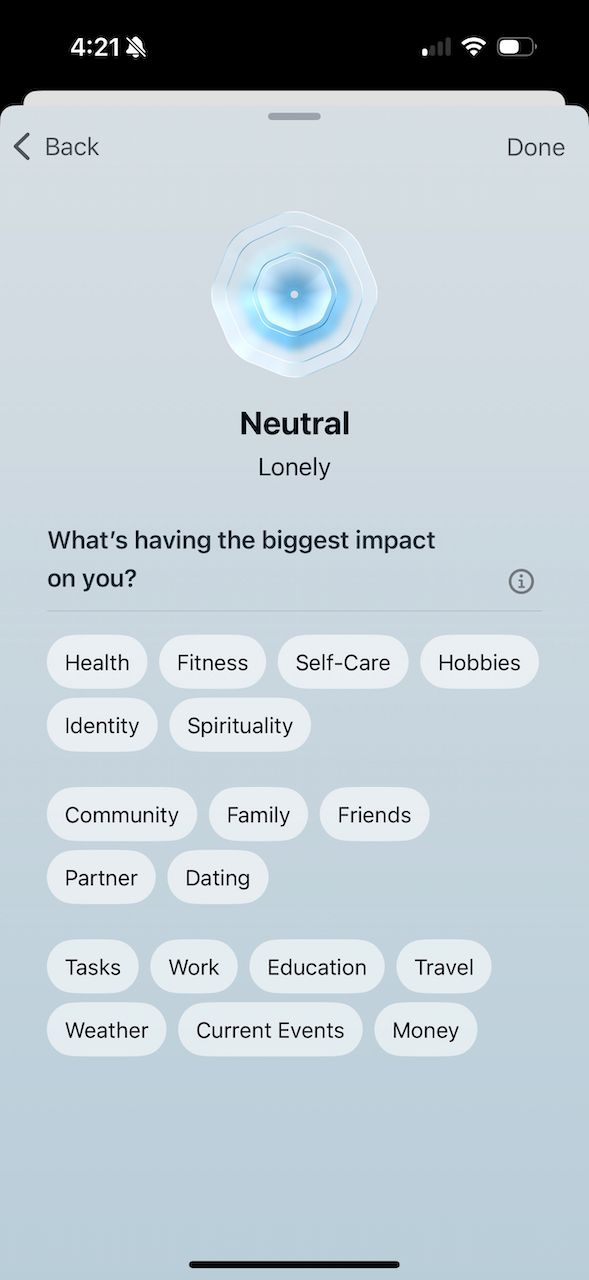
* Record and better understand changes in your loved one’s behaviors.
<figure><img src="/files/X0y5a8iqlpTJngHrpBYz" alt=""><figcaption></figcaption></figure>

* Help you find answers, straightforward guidance, and instant encouragement.
* Prepare for doctor appointments and send reports ahead of time.
* Get information, support, and learn from the experiences of other caregivers and contacts.
* Watch and keep an eye on your well-being and help you overcome burnout, fatigue, and lack of respite

</details>

<details>

<summary>What is ‘Circle of Care’? Can I invite the patient to join as well?</summary>

[Circles of Care](/fieldworker-docs/fundamentals/concepts/circle-of-care.md) is an electronic meeting place, a personal, secure space where adults whose lives have been challenged by mobility, disabilities, or other chronic illnesses can find a place to spend time in a safe, social, and stimulating environment.

The center of action is focused on the care or health of the patient (with their family). The scope of the circle includes formal and informal caregivers, friends, and families, but it starts and ends with patients.&#x20;

<figure><img src="/files/GkjmSu0fUmkU9P9w2NWu" alt=""><figcaption></figcaption></figure>

The Ability Hub app always keeps the patient as the center of focus, and YES, you can invite the patient to be a user of the app and be the nucleus of the support team.

</details>

<details>

<summary>Can I build my ‘Circle of care’ as someone receiving care?</summary>

Yes, indeed. Anyone receiving care can initiate their circle of care by installing the [Ability Hub](/fieldworker-docs/fundamentals/pages/ability-hub-app.md) app and [inviting](#can-i-build-my-circle-of-care-as-someone-receiving-care) their caregivers, friends, and families to join them in their circle.

The app has an 11-step onboarding flow designed to personalize the user experience by building a profile of both the caregiver and the recipient.

1. Personal Identification: Steps 1 and 2 collect basic user data (Name and Address) to localize services and resources.
2. Role Definition: Step 3 establishes the user’s persona—either a Caregiver or a Patient.
3. Care Recipient Profiling: The flow shown follows the caregiver path, identifying the recipient ("Kara"), the user's relationship to them ("Parent"), and the duration of their caregiving journey ("Less than a year").
4. Needs Assessment: Step 7 uses a multi-select menu to identify specific challenges (e.g., Cognitive issues, Motor issues, Managing stress). This likely triggers tailored content or resource recommendations.
5. Environment Context: Step 9 identifies the living situation (e.g., "At home with primary caregiver") to understand the logistical needs of the household.
6. Community Invitation: The process concludes by encouraging the user to invite the patient into the app, establishing them as the "nucleus" of the support team.

</details>

<details>

<summary>What does the Ability Hub app do for me, as a patient?</summary>

As a true companion and friend, the app lets you build your community, keep them informed, and create a place to share your feelings, thoughts, and moods. You can also keep your medicines, get reminders to take them, and track your upcoming visits and doctor appointments.

* **Circle of Care Coordination**: Creating a secure, private social network where family, friends, and professional caregivers can share updates, photos, and requests for help in one central feed.
* **Personalized Resource Discovery**: Automatically serving educational materials or "primers" based on the specific challenges selected during onboarding (e.g., motor issues or cognitive decline).
* **Medication Management**: Tracking prescriptions, setting dosage reminders, and receiving refill alerts to prevent errors.
* **Symptom & Behavior Logging**: Using a "wellness journal" to record observations about mental alertness or physical health to share with doctors during visits.
* **Shared Appointment Scheduling**: Managing a central calendar for doctor visits, physical therapy, and social outings that is visible to everyone in the support team.
* **Real-time Professional Updates**: Connecting with professional staff using FieldWorker to see progress notes or "Activities of Daily Living" (ADL) checklists completed during home visits.
* **Document Vault**: Storing and sharing critical files such as insurance cards, advance directives, and medical reports securely within the care circle.
* **Location-Based Support**: Using the user's address to suggest local support groups, specialized transport services, or nearby medical facilities.
* **Patient Empowerment**: Allowing the care recipient to participate in their own care by sharing their thoughts, moods, and feelings directly with their support team.

</details>

<details>

<summary>Can I connect my Medicare data to the Ability Hub app?</summary>

Connecting your Medicare account to Ability Hub is a central feature designed to provide your "Circle of Care" with a complete, verified medical history. The process is built on the secure "Blue Button" standard, ensuring data moves safely from Medicare to your private app environment.

#### 1. The Connection Process

The onboarding or Medicare settings section guides the patient through a secure handshake:

* Initiation: The user is presented with a clear explanation of what data will be shared: Patient Information, Coverage Details, and Claims History.
* Caregiver Transparency: A critical note informs the patient that once connected, this data will also be accessible to their designated caregiver, ensuring everyone is working from the same medical facts.
* Secure Authentication: The app redirects the user to a secure login portal (powered by Auth0/Medicare Blue Button). This ensures that Ability Hub never sees your Medicare password; it only receives an authorized "token" to view the records.
* Patient Control: As seen in the "Circle of Care" invitation, when a patient is invited to a group, they must explicitly accept an agreement that gives the inviter access to these Medicare records.

#### 2. How Data is Displayed

Once the link is established, the data is organized into three intuitive, easy-to-read tabs:

<table data-header-hidden><thead><tr><th width="129.12841796875"></th><th></th></tr></thead><tbody><tr><td><strong>Tab</strong></td><td><strong>Data Points Captured</strong></td></tr><tr><td>Patient Info</td><td>Verified Name, DOB, Medicare Number, and current Medicaid Status. This serves as a digital "ID Card" for medical visits.</td></tr><tr><td>Coverage</td><td>A breakdown of Parts A, B, C, and D. It shows the active status and coverage periods for each, helping caregivers understand what services are currently insured.</td></tr><tr><td>Claims</td><td>A financial and clinical summary. It tracks Total Charges vs. Total Payments and categorizes claims by type (e.g., Inpatient vs. Outpatient).</td></tr></tbody></table>

#### 3. App Utilization & Value

Ability Hub doesn't "store" this data; it utilizes it to improve care coordination:

* Informed Caregiving: Instead of the caregiver asking, "When was your last hospital visit?" they can look at the Claims Tab to see the exact date (e.g., March 25, 2015) and the provider organization involved.
* Verification: By pulling data directly from Medicare, the app eliminates "memory gaps." The clinical record is established by actual billing data, which is often more accurate than personal recall.
* Team Alignment: The data is used as the foundation for the "Circle of Care." When a family member joins, they aren't just joining a chat; they are joining a data-informed support team that understands the patient’s insurance limits and medical history.
* Journaling Context: On the home timeline, the app encourages "Reflections" and "Thoughts." Having Medicare data visible nearby allows users to correlate how they are feeling (in their journal) with actual clinical events (in their claims).

This integration effectively turns Ability Hub into a Portable Health Record (PHR), ensuring that whether the patient is at home, at a specialist, or in an emergency room, their vital insurance and history data is one tap away.

</details>

<details>

<summary>How do I connect my Ability Hub app with my Medicare history? Is it secured?</summary>

#### 🛡️ Privacy & Security: Your Data, Your Control

At Ability Hub, we understand that medical and insurance data is deeply personal. Our platform is built on the principle that privacy isn't just a feature—it’s the foundation of good care.

**1. The "Blue Button" Standard -** We use the Medicare Blue Button 2.0 framework. This is the gold standard for secure health data exchange.

* We Never See Your Password: When you connect to Medicare, you log in through a secure, third-party portal (Auth0). Ability Hub never sees or stores your Medicare credentials.
* Read-Only Access: The app receives a secure "token" that allows it to display your info. It cannot change your Medicare benefits or file claims on your behalf.

**2. A Private "Circle," Not a Social Network -** Ability Hub is a closed ecosystem. Unlike traditional social media, your data is never sold to advertisers or made searchable on the web.

* Invite-Only: Only people you explicitly invite—and who you approve—can see your timeline or medical data.
* The "Double-Lock" Consent: Even if someone is in your Circle, they only see your Medicare data if you explicitly accept an invitation that grants that specific permission (as seen in your notification center).

**3. Bank-Level Encryption** - All data—from your "Namaste" morning greetings to your Part D coverage details—is encrypted both while it's moving (in transit) and while it's stored (at rest). We use the same level of security that major financial institutions use to protect your bank account.

**4. Transparency in Action -** We believe in "No Surprises" caregiving.

* Caregiver Visibility: Patients are clearly notified during setup that their data will be shared with their primary caregiver.
* Revocable Access: You are the boss of your data. If you ever want to stop sharing or disconnect your Medicare account, you can do so instantly within the settings.

> Why share at all? > In a medical emergency, every second counts. Having your verified insurance parts (A, B, C, and D) and your recent claims history instantly available to your caregiver can prevent medical errors and speed up hospital admissions.

**The Bottom Line**

We aren't a social media site for sharing cat videos; we are a professional-grade hub for sharing care. We protect your data so you can focus on protecting your loved ones.

</details>


---

# Agent Instructions: Querying This Documentation

If you need additional information that is not directly available in this page, you can query the documentation dynamically by asking a question.

Perform an HTTP GET request on the current page URL with the `ask` query parameter:

```
GET https://fieldworker.gitbook.io/fieldworker-docs/fundamentals/faq/ability-hub.md?ask=<question>
```

The question should be specific, self-contained, and written in natural language.
The response will contain a direct answer to the question and relevant excerpts and sources from the documentation.

Use this mechanism when the answer is not explicitly present in the current page, you need clarification or additional context, or you want to retrieve related documentation sections.
